The product goal
Do not invent another certificate authority. Make the awkward shared-hosting path easier to understand, safer to test, and eventually more automatic.
This is the project that best explains One Click at a Time. EasySSLSetup did not come from one magic prompt. It grew through research, coding, staging, failures, fixes, security decisions, visual review, deployment, branding, and public-beta feedback—one understandable decision at a time.
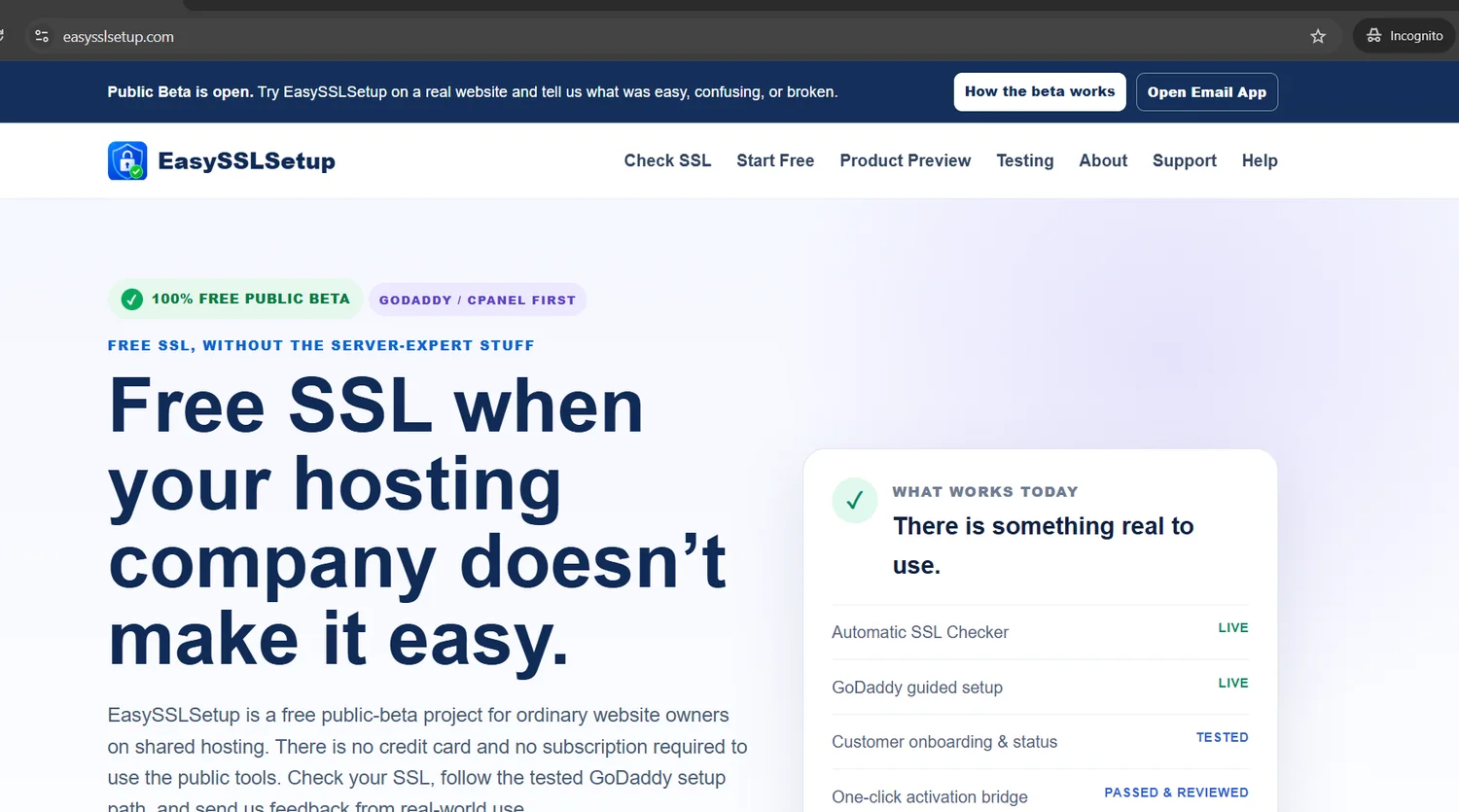
The product idea came from a real gap: ordinary website owners can end up dealing with DNS, cPanel, certificate files, verification challenges, redirects, renewals, and hosting restrictions even when the certificate itself is free.
Do not invent another certificate authority. Make the awkward shared-hosting path easier to understand, safer to test, and eventually more automatic.
The customer should not need to understand ACME, CSR files, PEM formatting, cron syntax, or private-key handling just to secure a website.
This is the important part: “AI built it” is too simple. The project worked because each part had a different role.
Kept the project understandable and connected.
Did the heavier work inside the codebase.
Stayed responsible for the real-world choices.
Under the hood the project became technical. The human workflow stayed simple: isolate one problem, build or test it, look at the evidence, and only then move forward.
Study the shared-hosting SSL problem, ACME, cPanel, GoDaddy-type hosting, competitors, renewal pressure, security, and the legal boundary. The decision was to build independently around public standards rather than copy another tool.
Build public SSL/DNS/HTTPS checks and reject dangerous or private targets. A tool should understand the environment before it changes anything.
Use read-only capability work first. Prove the connection, domain information, and SSL state before introducing write operations.
Use isolated test hostnames for issuance, challenge handling, installation, and renewal behavior instead of experimenting on the production website.
Status, onboarding, ownership verification, and cleanup were treated as separate stages. That made the customer boundary testable rather than implicit.
Package the customer-side pieces so sensitive key material stays on the customer’s hosting account rather than turning the central service into a store of private SSL keys.
The automatic-activation foundation went through repeated automated testing and controlled review. Passing the foundation did not automatically mean opening live write access to the public.
Desktop and phone states were checked manually: dashboard, connection flow, ready state, progress, success, and needs-attention states.
The SSL Checker and guided setup became something real people could use while the automatic activation step stayed clearly marked as the next release gate.
The project received the shield-and-lock identity, stronger FREE messaging, public-beta feedback wording, and marketing material—only after there was a real product to show.
The Wedding Officiant Facebook example is useful, but EasySSLSetup shows Codex on a much larger technical job.
Visitors can check public SSL, DNS, HTTPS, and redirect behavior without giving the site a hosting password.
The current public path gives ordinary website owners simpler GoDaddy/cPanel guidance.
The activation bridge foundation completed controlled testing and review.
The project does not claim this is publicly live before the final release gate is opened.
During the EasySSLSetup work, voice conversation became part of the practical workflow. A mistake in cPanel could be described out loud, one recovery step could be given, and the next decision could wait until the result was visible.
It lowers the pressure to know the right technical words. You can say “this is what I see” or “I think I put it in the wrong folder,” then work from the actual situation.
Conversation helps guide the human. Testing, review, backups, and careful deployment still matter. On the deeper code work, Codex remains the tool working inside the project files.
When cPanel, file managers, browsers, or review screens differ, show the screen instead of guessing.
The beginner does not need to become a PHP engineer before using a coding agent on a real project.
A successful-looking edit is not the same thing as a tested release candidate.
Keep staging, production, read-only behavior, and live write actions clearly separated.
AI can write and test code, but somebody still decides what should go live and verifies the real result.
The strongest story is not “AI can build things.” It is “here is the thing we actually built and tested.”
EasySSLSetup is in open public beta. Try the live tools, then come back to this case study as the build continues toward public automatic activation.
Visit EasySSLSetup.com →