Build your first Android app one verified step at a time.
You do not have to become an Android developer before you make the first useful version. Start with one job, build early, and use screenshots when the screen stops making sense.
An Android app starts with one useful job.
The real projects behind this site did not begin with “learn Android development.” They began with a simple need—such as building a wedding script or turning an AI graphics tool into something convenient on a phone.
From idea to an app on your phone.
Give the app one clear job
Write one sentence: “I want an app that lets me enter two names and creates the wedding script.” A focused first version is much easier to finish.
Ask ChatGPT to plan the screens and behavior
Describe what the user types, what buttons exist, and what should happen after each tap. Keep the first version small.
Install Android Studio on the computer
Android Studio is where the Android project is created, built, and tested. When the setup screen is unfamiliar, use the screenshot method instead of guessing through options.
Create/open the project and let AI help with code
ChatGPT can explain what to change. Codex can be useful when the project files need direct coding work, inspection, or repeated fixes.
Build early and test on a real phone
Do not wait until everything is perfect. A real device reveals layout, permissions, button, and installation problems quickly.
When it fails, screenshot the exact error
Show the Android Studio message, phone warning, or broken app screen. Ask what the message means and only what to do next.
Create the release/signed build
When the app works, create a proper signed build for distribution. Keep signing keys, passwords, and recovery information private and backed up.
Choose how people will install it
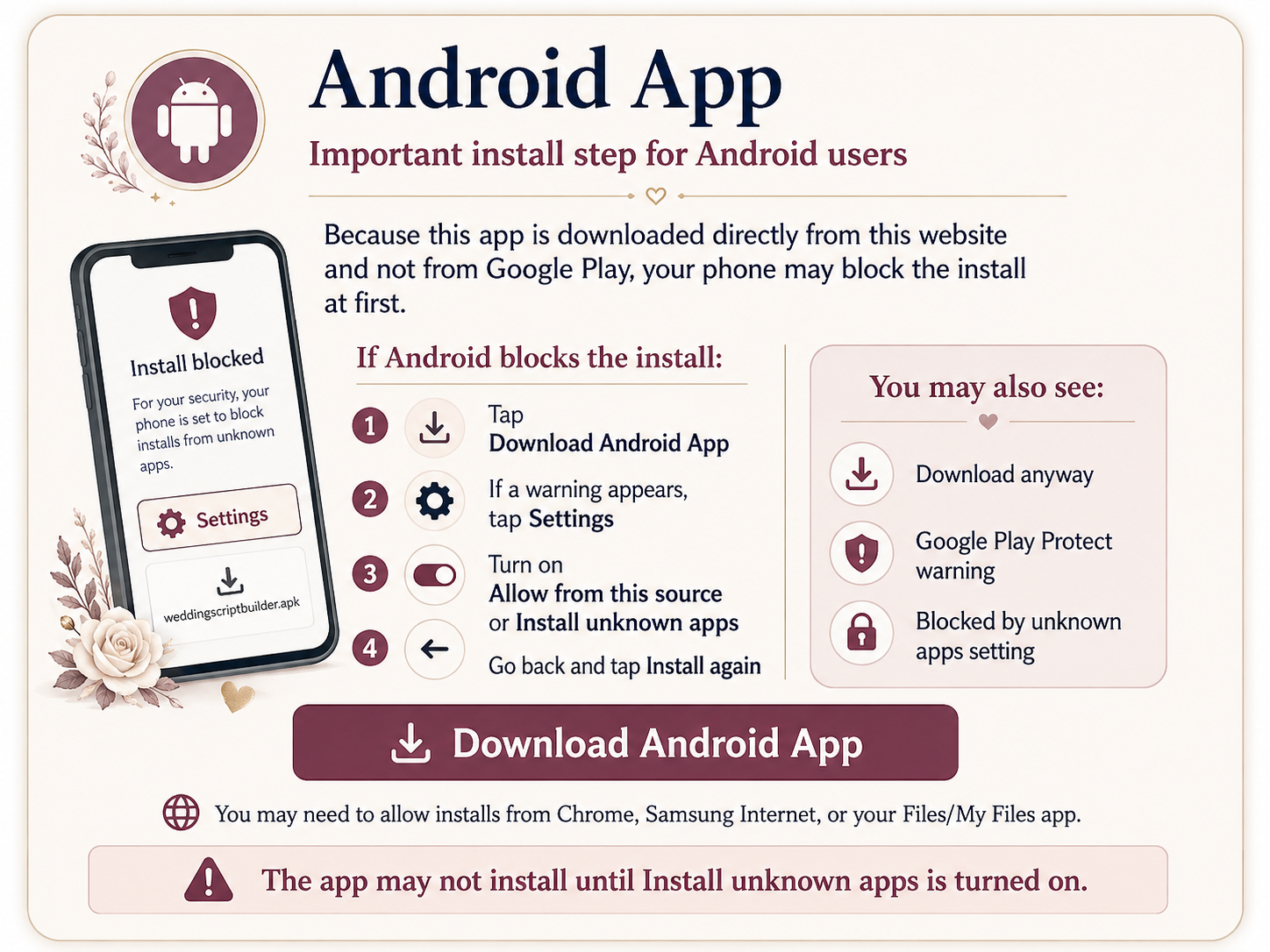
You can use a store/testing track or, for a direct APK you control, provide careful instructions. Android may warn about installing apps from outside the store.
A real lesson from the wedding app
The app itself was not enough. The website also needed a clear Android installation guide because users could encounter an “unknown app” warning. A support problem became part of the product.
Finish the smallest useful version first.
A working little app teaches you more than a huge unfinished plan. Build, test, screenshot the error, fix one thing, and repeat.
Choose another lesson