Instead of only explaining the steps, Codex helped do the work.
The goal was to create a Facebook business page for Wedding Officiant Starter. In this real workflow, Codex was used with browser access to help work through the setup, page presentation, categories, and graphics until there was a finished business page to review.
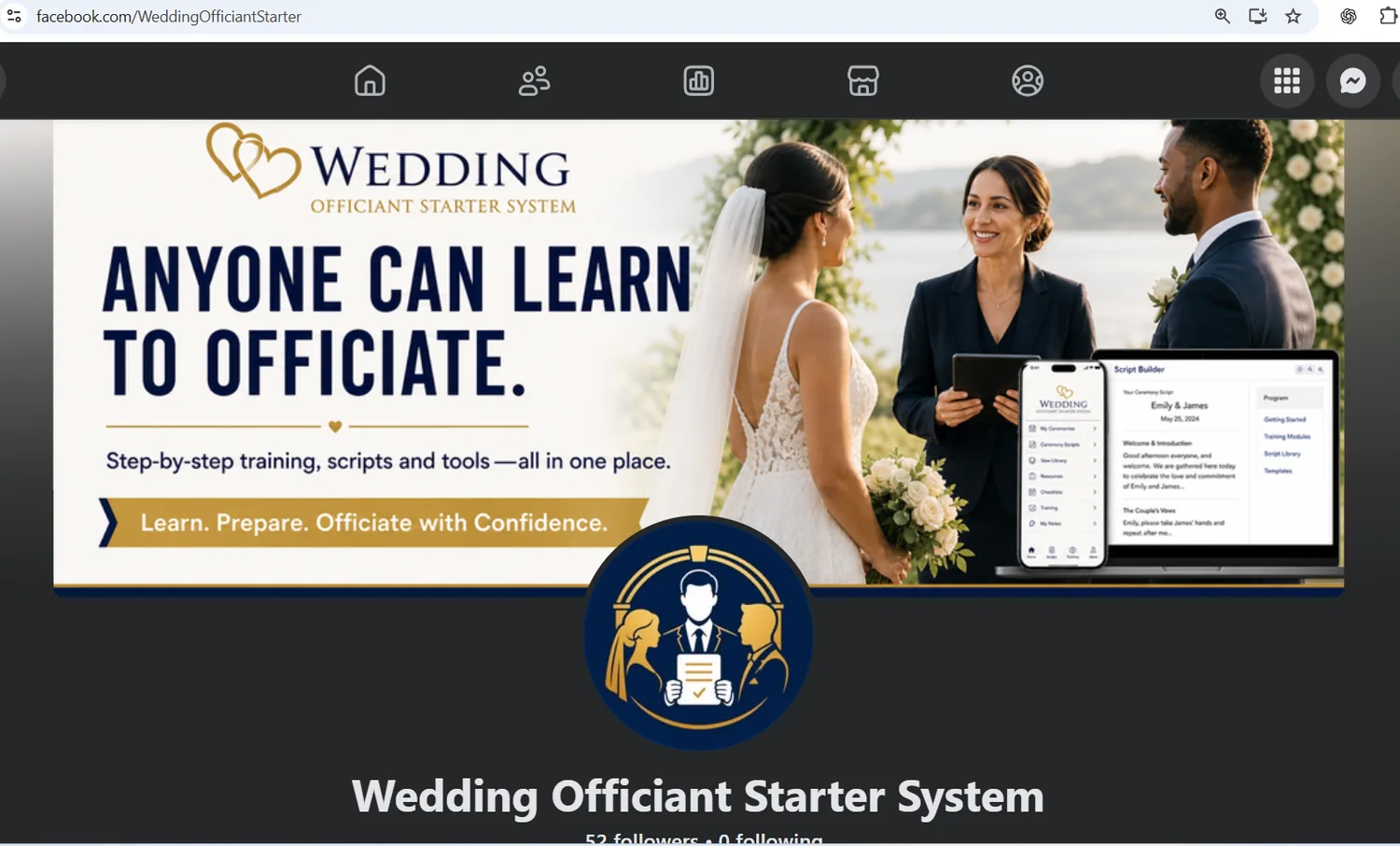
A real Facebook business page—not a pretend example.
The screenshot shows the Wedding Officiant Starter System page with its cover artwork, profile image, business name, and finished page presentation. The important lesson is that the AI workflow did not stop at telling the user what a Facebook page should look like. It was used as part of the process of actually setting the page up.
ChatGPT guidance and Codex task work are not exactly the same thing.
For many beginner jobs, ChatGPT is perfect for explanations, screenshots, writing, brainstorming, and the next click. Codex is OpenAI's coding agent, and supported Codex browser workflows can also work with web pages. In a browser task, that can mean operating inside the site you are reviewing, subject to the permissions and confirmations available in your setup.
💬 Guidance mode
“Tell me what this screen means. Tell me which button to click. Help me write the description.” This keeps the user in control of every click.
🧑💻 Agent-assisted work
“Help me set this business page up.” With the right browser access and permissions, Codex can participate more directly in the task while you review what it is doing.
One business idea created another useful lesson.
Start with the business that already exists
Wedding Officiant Starter already had a website, private Student Center, software tools, and an Android app. The next need was a social presence that looked like the same business.
Open the actual Facebook page workflow
Codex was used in a browser workflow so the job could be worked on in the real page instead of only discussed in a chat.
Create the visual identity for Facebook
The page needed a cover/banner and profile image that matched the Wedding Officiant Starter brand and clearly explained what the business does.
Complete the business-page details
Categories and other page setup choices were worked through as part of the project.
Review the finished page
The user still reviews the active account, wording, images, and final public result. Agent assistance does not remove the need to verify what was published.
Let AI help—but keep your eyes on the account it is using.
👤 Check the account
Before allowing browser work, make sure you are signed into the correct personal or business account.
🔐 Keep secrets out of chat
Enter passwords and sensitive credentials only into the website or browser sign-in fields, not into a chat message.
✅ Review before publishing
Read categories, descriptions, graphics, links, and public-facing information before you consider the task finished.
The lesson is bigger than Facebook.
When a task can be safely opened in the right tool, AI may be able to help with more than advice. Start with a clear goal, give only the access needed for that task, and review the result before publishing.
Back to the beginner Codex guide